Summarize this blog post with:
 ChatGPT
 Perplexity
 Claude
 Grok
By the Steer Health team · Updated October 2026
What this looks like in practice: Steer Health's deployments report a 38% reduction in unfilled appointment slots, 2+ hours saved per clinician each day, and a no-show rate that fell from 22% to 5.2% at Coastline Ortho. See the Coastline Ortho case study.
Most of what exhausts healthcare staff isn't medicine. It's the phone that won't stop ringing, the callbacks that pile up overnight, the referrals that stall because nobody had time to follow up.
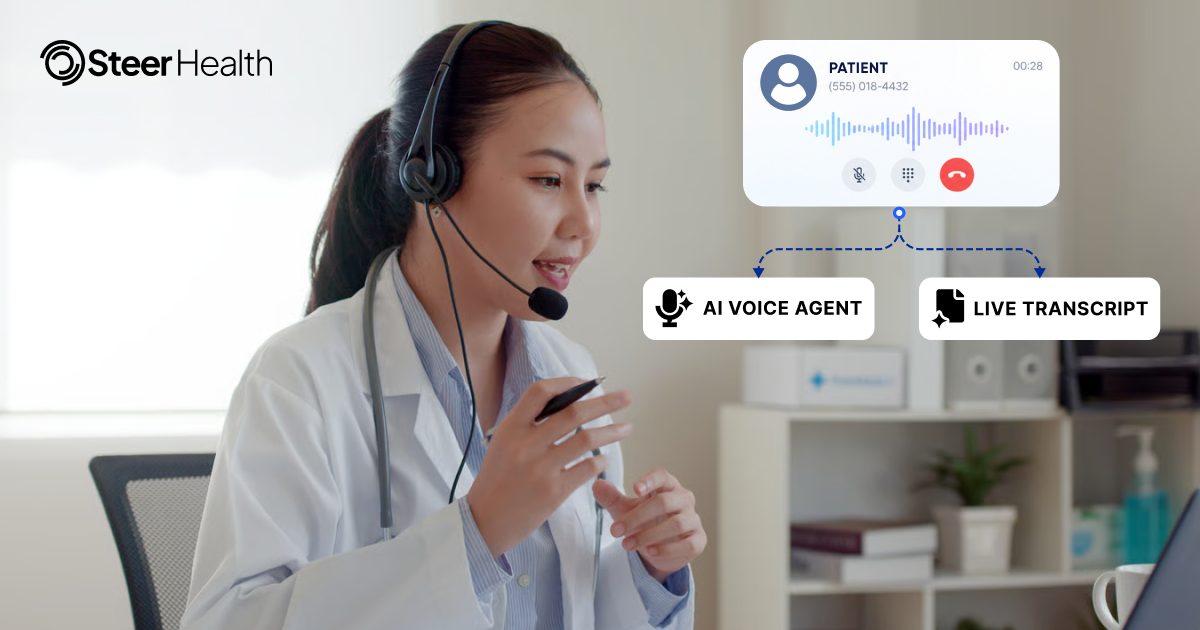
Voice AI in healthcare is software that answers and makes phone calls in natural speech, completes tasks like scheduling, refill intake and insurance verification, and writes the result back to the EHR, so staff don't have to. This guide covers what AI voice agents for healthcare actually do, how they differ from the phone trees you already have, and ten workflows where they give clinical staff their time back.
What is voice AI in healthcare?
Voice AI in healthcare uses natural language processing to handle spoken phone conversations with patients. Instead of "press 1 for billing, press 2 for appointments," patients speak naturally and the system understands what they're asking for. An AI voice agent can carry multi-turn conversations, ask follow-up questions, and complete tasks like scheduling or insurance verification during the same call.
What separates voice AI from older phone systems is what happens after the conversation ends. A voice AI agent can book an appointment, gather insurance details, and write the completed action back to the EHR. The patient hangs up with their problem solved. Staff never touched the call.
The most common applications include:
- Appointment scheduling: Booking, rescheduling, and canceling visits directly in the EHR
- Intelligent triage: Gathering symptoms, asking clarifying questions, routing urgent cases to clinical staff
- Patient outreach: Running outbound calls for care reminders, recalls, and follow-ups
- Administrative support: Handling refill requests, insurance verification, and billing questions
What are AI voice agents for healthcare?
AI voice agents for healthcare are voice AI systems built for clinical operations. They work as a digital front desk or contact center agent: they pick up calls, understand the request, follow your scheduling and escalation rules, and hand off to a person when judgment is needed. Unlike a generic voice bot, a healthcare voice agent is connected to the EHR, so it can act on real patient and schedule data. Steer Health's Luna is one example of this kind of agent.
How voice AI in healthcare differs from IVR and legacy chatbots
IVR stands for Interactive Voice Response. It's the system that says "press 1 for billing" and routes your call based on which button you press. IVR doesn't understand speech. It follows a script, and if you press the wrong number, you end up transferred multiple times.
Legacy chatbots work similarly. They match keywords to pre-written responses. Ask something outside the script and you hit a wall.
Voice AI is different because it processes natural speech. A patient can say "I need to move my Thursday appointment because something came up" and the system understands the intent, checks the schedule, and offers alternatives. The conversation continues until the task is done.
IVR and legacy chatbots versus voice AI, side by side:
- Input method: IVR and legacy chatbots use touch-tone or keyword matching; voice AI uses natural conversational speech.
- Conversation handling: IVR and legacy chatbots use single-turn, scripted paths; voice AI holds multi-turn, contextual dialogue.
- Outcome: IVR and legacy chatbots route or deflect; voice AI completes the work.
- After-hours capability: IVR and legacy chatbots are limited or none; voice AI offers full coverage.
Clinical burnout starts with operational work
Burnout in healthcare is often framed as a clinical problem: too many patients, too much emotional weight, not enough time. But when you look at how clinicians actually spend their days, a large portion of exhaustion comes from administrative coordination.
Phone calls interrupt patient care. Callbacks pile up. Scheduling conflicts require manual resolution. Referrals stall because nobody followed up. Each task seems small on its own, but together they add up to hours of work that pulls clinical staff away from patients.
The ten items below are operational tasks that voice AI can absorb. Each one creates friction for staff. Together, they account for a meaningful portion of the daily grind.
10 ways voice AI in healthcare reduces clinical burnout
1. Answering every inbound call, including after hours
Missed calls create callback queues. A patient who calls at 5:30 PM and doesn't get through becomes a task for tomorrow morning. Multiply that by dozens of calls, and staff start the day already behind.
Voice AI provides continuous coverage. A patient calling at 7 PM gets the same service as one calling at 10 AM. The call is answered, the request is handled, and no callback is required.
2. Booking appointments without a front desk handoff
Traditional scheduling requires a staff member to check availability, apply scheduling rules, and confirm the appointment. That's fine for one call, but it adds up across hundreds of calls per week.
Voice AI handles the entire booking in the same conversation. The patient describes what they need, the system checks the provider's calendar, applies visit type rules, and confirms the slot. The appointment appears in the EHR without staff involvement. This is the core of healthcare front-desk automation, and it connects directly to patient scheduling.
3. Backfilling cancellations from a live waitlist
When a patient cancels, that slot often stays empty. Staff may have a waitlist somewhere, but calling through it takes time they don't have. So the slot goes unfilled.
Voice AI monitors the schedule in real time. When a slot opens, it contacts waitlisted patients immediately. The first patient who confirms gets the appointment. Provider schedules stay full without manual effort.
See it on your own schedule. Want to know how many calls and open slots your team is losing today? Book a demo and we'll walk through it with you.
4. Handling prescription refill requests
Refill calls are high-volume and repetitive. The patient provides their name, medication, and pharmacy. Staff relay the information to the provider. It's straightforward work, but it takes time.
Voice AI gathers the same information and routes it appropriately. For straightforward refills, the request moves forward without staff intervention. Complex cases are escalated to a human.
5. Routing calls without touch-tone menus
Touch-tone menus frustrate patients and often route calls incorrectly. A patient who presses the wrong number ends up transferred multiple times before reaching the right person.
Voice AI routes based on what the patient says. "I have a question about my bill" goes to billing. "I need to talk to my doctor's nurse" goes to the clinical team. For healthcare contact centers, that means fewer transfers and faster resolution.
6. Verifying insurance and benefits before the visit
Insurance verification takes staff time on every new patient. Gathering member IDs, calling payers, confirming coverage. The work is necessary, but it's also repetitive.
Voice AI can collect insurance information during the scheduling call and initiate verification. Staff review exceptions rather than processing every patient manually.
7. Running recall and preventive care outreach
Outbound calls for overdue patients and care gaps require consistent effort. Most teams can't sustain the volume needed to reach everyone who qualifies. So patients fall through the cracks.
Voice AI runs care gap outreach campaigns continuously. It calls patients who are due for annual visits, preventive screenings, or chronic care follow-ups. Patients who want to schedule can book during the same call. For reminder-specific workflows, see our guide to automated appointment reminders.
8. Following up on referrals and prior authorizations
Referrals stall when nobody follows up. Prior authorizations require repeated calls to payers. Both workflows demand persistence that staff often can't provide at scale.
Voice AI tracks outstanding items and initiates follow-up. Worth noting: prior authorization is often an assisted capability, not full automation. The system handles the repetitive outreach; staff handle the exceptions and final approvals. Learn more about referral management.
9. Supporting multilingual patients without interpreter delays
Patients who don't speak English often wait for an interpreter before their call can proceed. That delay adds friction and extends call times for everyone.
Voice AI can handle multiple languages in real time. The patient speaks in their preferred language, and the system responds accordingly. No waiting for a third-party interpreter on routine requests.
10. Writing interactions back to the EHR
After a phone call, staff typically document what happened. That documentation takes time and often gets delayed until the end of the day.
Voice AI writes completed interactions directly to the patient record. The appointment, the refill request, the insurance information: all documented automatically. Staff see what happened without manual data entry.
How voice AI for healthcare integrates with your EHR
Bi-directional EHR integration means the voice AI reads patient context before the call and writes completed actions back after. This is what separates a voice agent that completes work from one that simply answers questions.
Before the call, the system can:
- Identify the patient: Match the caller to their record using phone number, date of birth, or other identifiers
- Access scheduling rules: Apply provider preferences, visit types, and location constraints
After the call, the system can:
- Document the interaction: Write notes, appointments, and actions directly to the chart
- Maintain continuity: Staff see what the voice agent completed and can pick up where it left off
Common EHR integrations include Epic, Oracle Health (Cerner), and athenahealth. However, technical integration alone doesn't guarantee completed work. The voice AI also needs to understand your scheduling logic, documentation standards, and escalation pathways.
HIPAA compliance and security for voice AI in healthcare
Any voice AI handling patient information falls under HIPAA requirements (see the HHS HIPAA guidance). Before evaluating a vendor, confirm the basics:
- Business Associate Agreement (BAA): Required for any vendor handling protected health information
- Encryption: Data encrypted in transit and at rest
- Access controls: Role-based permissions and audit logging for call recordings
- Data residency: Clear documentation of where patient data is stored and processed
Call recordings require particular attention. Only authorized personnel, typically for quality assurance and troubleshooting, should have access.
Where voice AI ends and human judgment begins
Voice AI handles administrative and operational tasks. It does not make clinical decisions.
A patient describing chest pain gets routed to a nurse or escalated appropriately. A patient with a complex insurance situation gets transferred to a staff member who can help. A patient who simply wants to speak with a human can request a transfer at any point in the conversation.
Well-designed systems include clear handoff pathways. The voice agent knows its limits and escalates when the situation requires human judgment, clinical expertise, or personal attention.
What to expect from a voice AI for healthcare deployment
Step 1. Scope the work being lost today
Start by identifying which workflows create bottlenecks. How many calls go unanswered? What percentage of cancellations result in empty slots? Where do referrals stall?
A clear baseline makes it possible to measure whether the deployment is working.
Step 2. Connect the voice agent to your EHR and scheduling rules
Integration setup and configuration typically take weeks rather than months. The voice agent needs access to patient data, scheduling logic, and documentation pathways.
This step also includes defining escalation rules. Which situations require human intervention? How does the handoff work?
Step 3. Measure outcomes against a real baseline
Track changes against the pre-deployment state. Useful metrics include call answer rates, completed appointments, staff time freed, and patient access improvements.
Avoid measuring activity alone. The goal is completed work, not call volume.
Give clinicians back the hours voice AI can reclaim
The operational work described above (answering calls, booking appointments, following up on referrals, verifying insurance) is real work. It takes real time. And when clinical staff absorb that work, they have less capacity for the patients in front of them.
Voice AI absorbs the volume so staff can focus on judgment, relationships, and medicine. The goal isn't to replace people. It's to stop asking them to do work that a well-designed system can handle.